
U.S. Passport Photo Requirements & Top 10 Rejection Flaws
Master guide to federal 2x2 photograph guidelines, lighting standards, and avoiding the #1 cause of passport application suspensions.
Official U.S. passport photographs must be exactly 2 x 2 inches (51 x 51 mm) in size, printed in color on glossy or matte photo-quality paper, taken within the last 6 months, set against a plain white or off-white background, with the head measuring between 1 inch and 1 3/8 inches (25–35 mm) from bottom of chin to top of head. Eyeglasses are strictly prohibited.
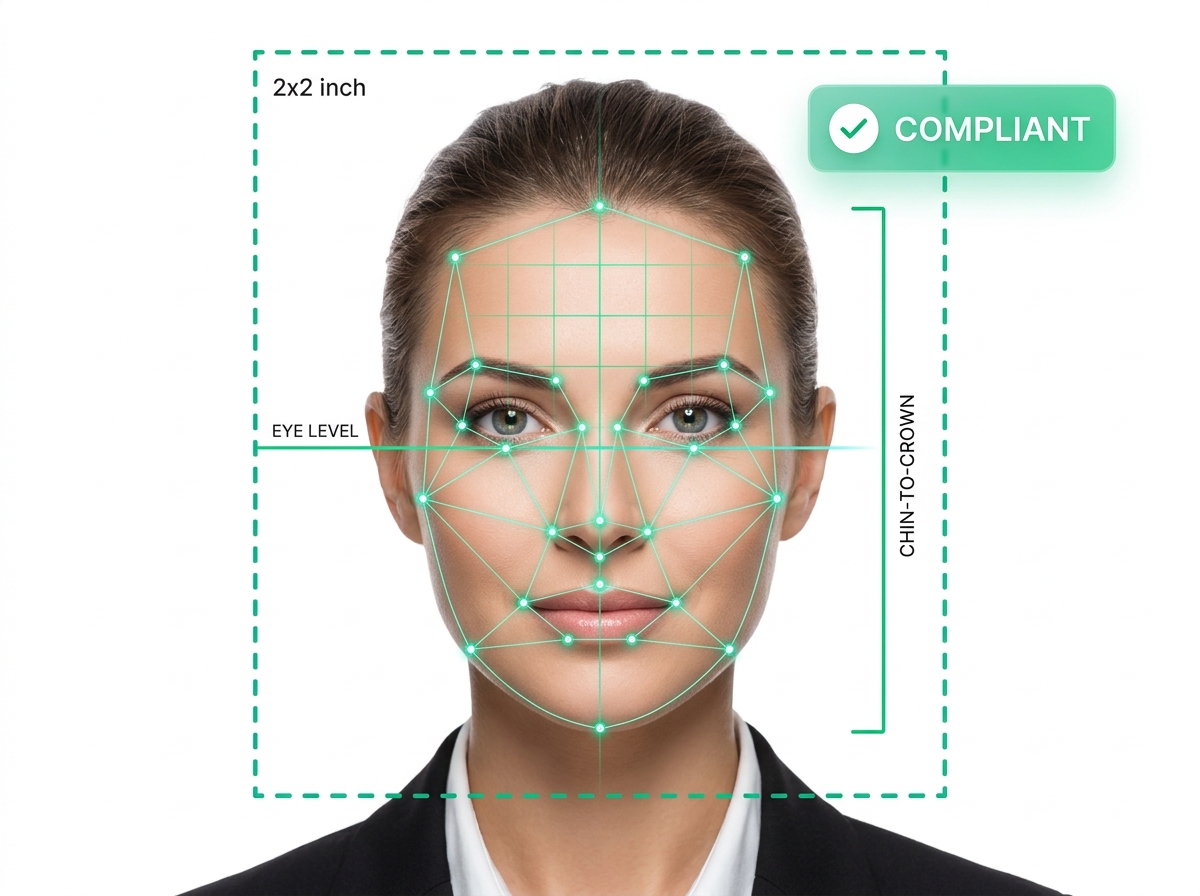
Figure 1: Official Department of State 2x2 photo framing guidelines with biometric eye-level alignment.
The Top 10 Passport Photo Rejection Mistakes
| Mistake | Federal Standard | Why It Gets Rejected |
|---|---|---|
| 1. Wearing Eyeglasses | Prohibited since 2016 | Glare obscuring pupils; medical waiver required if glasses cannot be removed. |
| 2. Shadows on Face/Wall | Even, flat lighting | Shadows behind ears or under chin confuse facial recognition scanners. |
| 3. Off-Color Background | Pure white or off-white only | Cream, grey, patterned, or textured backdrops are rejected. |
| 4. Incorrect Head Crop | 1" to 1-3/8" (50% to 69% of height) | Face too close to camera or zoomed out too far. |
| 5. Exaggerated Expression | Neutral facial expression | Open-mouth smiles, frowning, or squinting distort biometric points. |
| 6. Uniforms or Camouflage | Normal street attire only | Military or service uniforms prohibited unless religious attire waiver. |
| 7. Head Coverings / Hats | Full hairline and ears visible | Prohibited unless signed statement certifying religious or medical necessity. |
| 8. Low Resolution / Blurry | Sharp focus, 300 DPI minimum | Pixelated self-prints on standard copy paper are immediately flagged. |
| 9. Overexposure / Flash Glare | True skin tone representation | Washed-out skin or hot-spots from direct flash. |
| 10. Damaged / Creased Prints | Pristine physical condition | Staples through facial features, paperclip indentations, or ink smudges. |
How to Staple Your Photo to Form DS-82 or DS-11
Position the photo squarely inside the designated box on Page 1. Use four staples vertically in the corners as close to the outer edge as possible. Do NOT bend the photo, and never place a staple across your face, hair, or neck.